
Vids AI has evolved from a Vid Stats feature into a full AI assistant built into the Vidalytics app. Instead of navigating to a specific video's stats page to run a fixed analysis, you can now ask Vids AI a question from anywhere — and it already knows what you are looking at.
Availability & Restrictions
- Available on Pro plans and above
- No usage limits per account
Vids AI Copilot
Vids AI is now everywhere A Vids AI launcher is available on all primary pages in the app. Wherever you notice something worth investigating, you can ask about it right there — no need to navigate to a video's stats page first.
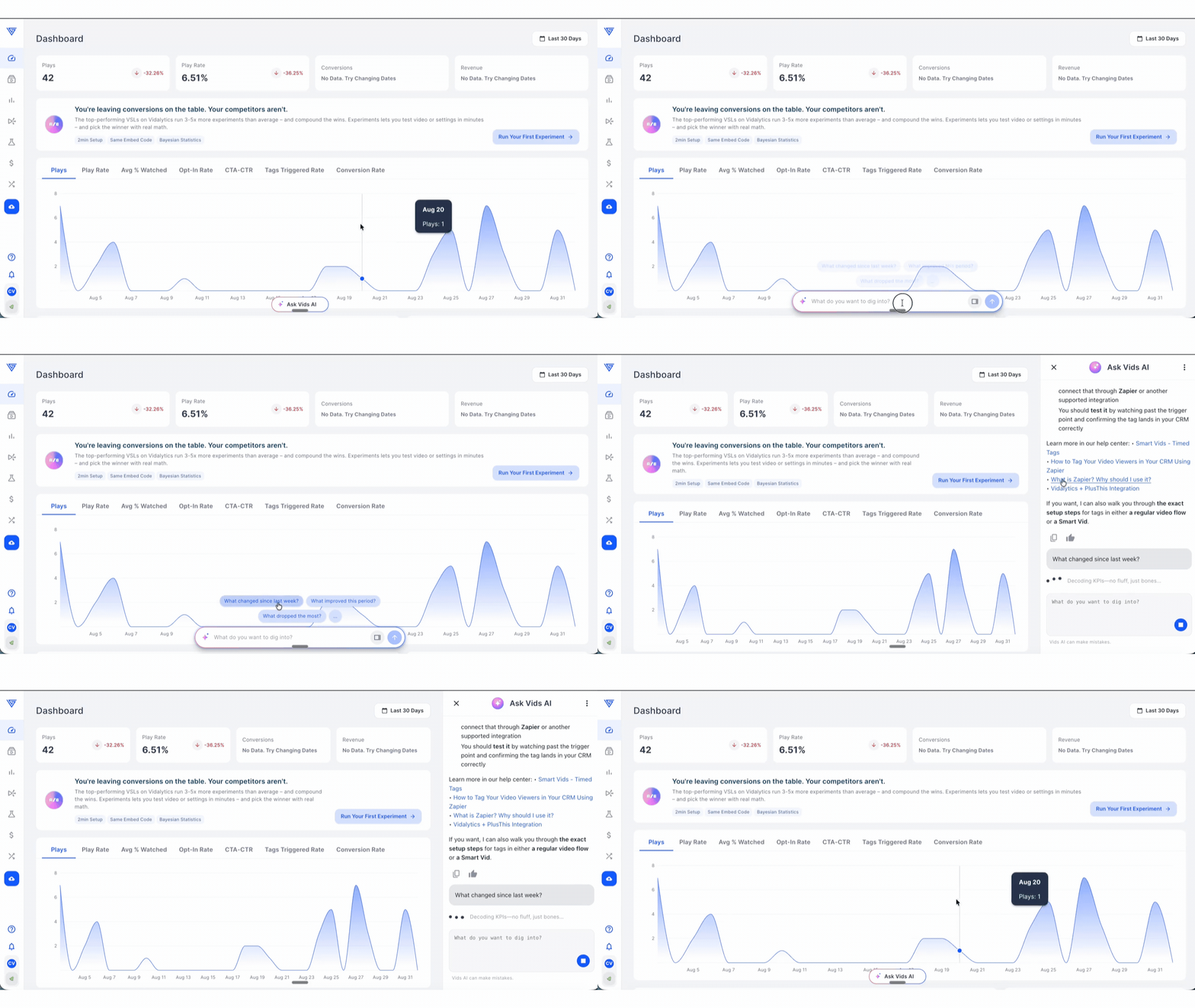
It starts on your terms Opening Vids AI gives you two ways in: contextual suggestions scoped to the page you are currently on, or a free-text question you type yourself. Either works.
It behaves like an agent, not a report generator Vids AI knows which page, video, folder, or experiment you are looking at and uses that as its starting context. It assembles the data it needs on demand, can answer questions across multiple videos and at the account level, and keeps a short back-and-forth dialog to clarify your request before answering. When something is ambiguous, it asks a clarifying question rather than guessing.
It remembers your account Vids AI keeps context about your account between sessions — so you do not have to re-explain your setup every time you open it.
How to Use It
Starting from a contextual suggestion
Hover over the Vids AI launcher on any primary page. The launcher opens with suggested prompts scoped to that page — the suggestions on a test page are different from those on a video's stats page. Pick one and the agent runs the analysis using the current page as context.
Starting with your own question
Type directly into the free-text input in the Vids AI launcher or sidebar. You can ask anything — for example:
- "Explain the drop at minute 2"
- "Which videos dropped the most this week?"
- "Which video in this folder performs best?"
- "Can we try a different CTA for mobile?"
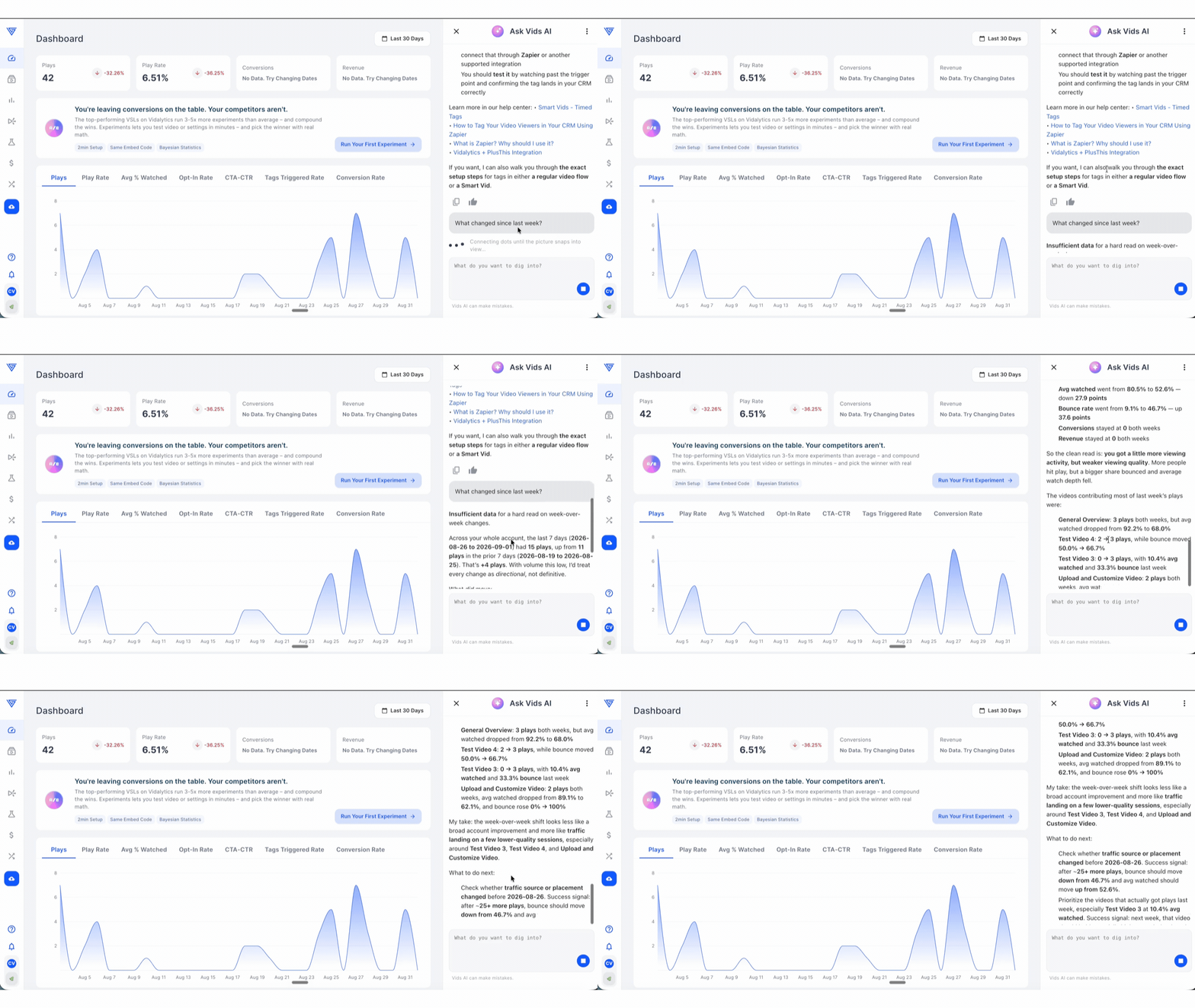
Vids AI assembles the relevant data — stats, script, settings, traffic sources, benchmarks — on the fly and responds.
Working through a dialog
Vids AI may ask a clarifying question before answering — for example "Which time period or segment are you interested in?" This is expected and intentional. Answer the question and it will run the analysis on exactly what you meant. You can ask follow-up questions at any point to go deeper or change direction, and it will re-query the data rather than re-narrate the same report.
Examples of What Vids AI Copilot Can Do
- Answer questions about a single video, a folder, or your entire account
- Analyze performance drops, engagement trends, retention, and conversions
- Compare videos side by side
- Surface insights based on your current page context without any setup
- Analyze your video script as part of the conversation (AI Script Analyzer is now built into Vids AI)
- Retain account context between sessions so follow-up questions stay on track
Note: Looking for live support? You'll find the live chat feature on the left side menu. You can also ask Vids AI to connect you to support directly.
If you have any questions, feedback, or need assistance, feel free to reach out to our Customer Happiness Team at hi@vidalytics.com.