
There are two ways to disconnect a client account from an Agency account in Vidalytics — the Agency can remove the client from their dashboard, or the client can revoke access directly from their own account. Both options are covered below.
Option 1 — Unlink a Client from Your Agency Account
Locate the client account — on your Agency dashboard, find the client account you want to unlink.
Open account options — click the three vertical dots in the top right corner of the client's slot to open the account options menu.
Remove the client — click Remove/Cancel. A pop-up will appear giving you two choices — to delete the account entirely, or to simply remove it from your Agency. Since you only want to unlink the account, select Remove Client and click Confirm.
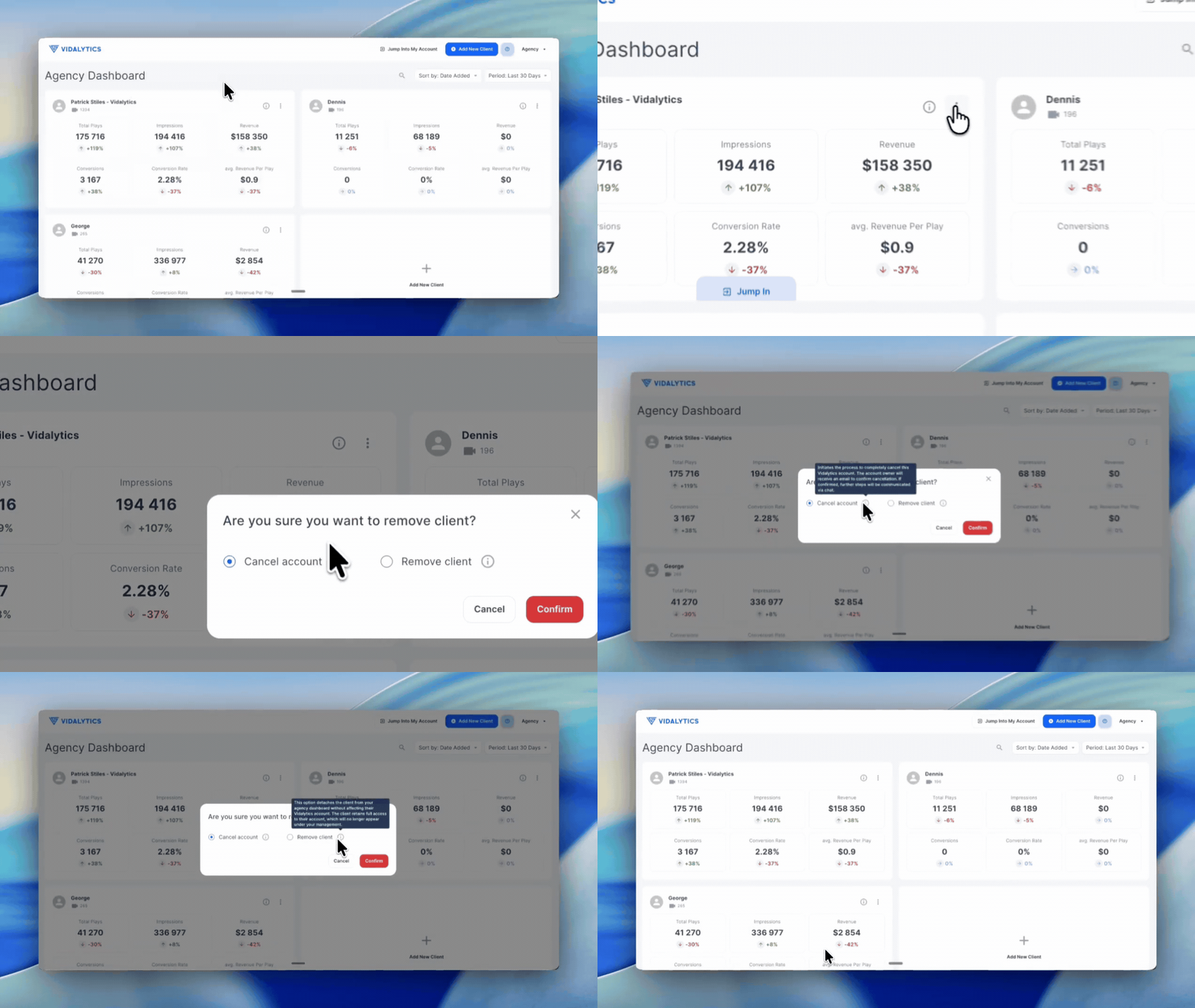
The client account is now unlinked from your Agency. The client's account and all their data remain intact — it is simply no longer connected to your Agency dashboard.
Option 2 — Client Revokes Agency Access From Their Own Account
If a client wants to remove Agency access from their end, they can do so directly from their own Vidalytics account.
Log in to the client account — the client logs in to their personal Vidalytics account.
Open Account Settings — click on the initials in the bottom left corner of the left-side menu and select Account Settings.
Revoke access — under the My Profile section, scroll down to locate the Unlink Agency option and click it. A confirmation pop-up will appear explaining that this action will unlink the Agency account. Click Confirm to complete the process.
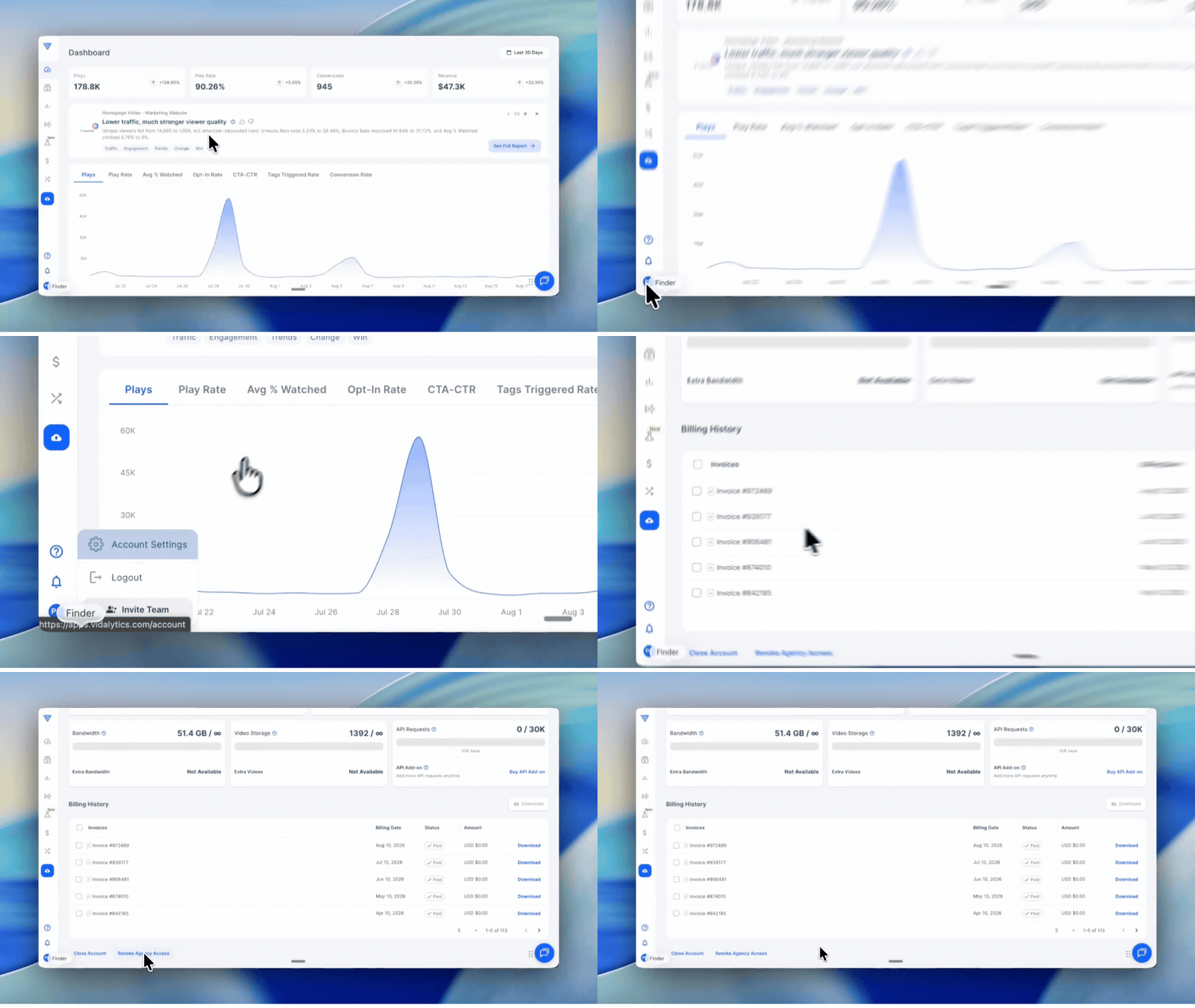
The Agency account is now unlinked and will no longer have access to the client's account.
Important: Both of these actions unlink the accounts from each other — they do not delete either account. All videos, settings, and data on both sides remain intact after unlinking.
If you have any questions, feedback, or need assistance, feel free to reach out to our Customer Happiness Team at hi@vidalytics.com. 😊