
Keeping your account information up to date is quick and easy. From your Account Settings, you can update your personal details, change your password, and manage your payment information — all in one place.
Accessing Your Account Settings
- Log in to your Vidalytics account
- On the left-side menu, scroll down to locate your initials
- Click on your initials, then click on Account Settings
Once inside, you will see several tabs at the top of the page. Each tab covers a different area of your account.
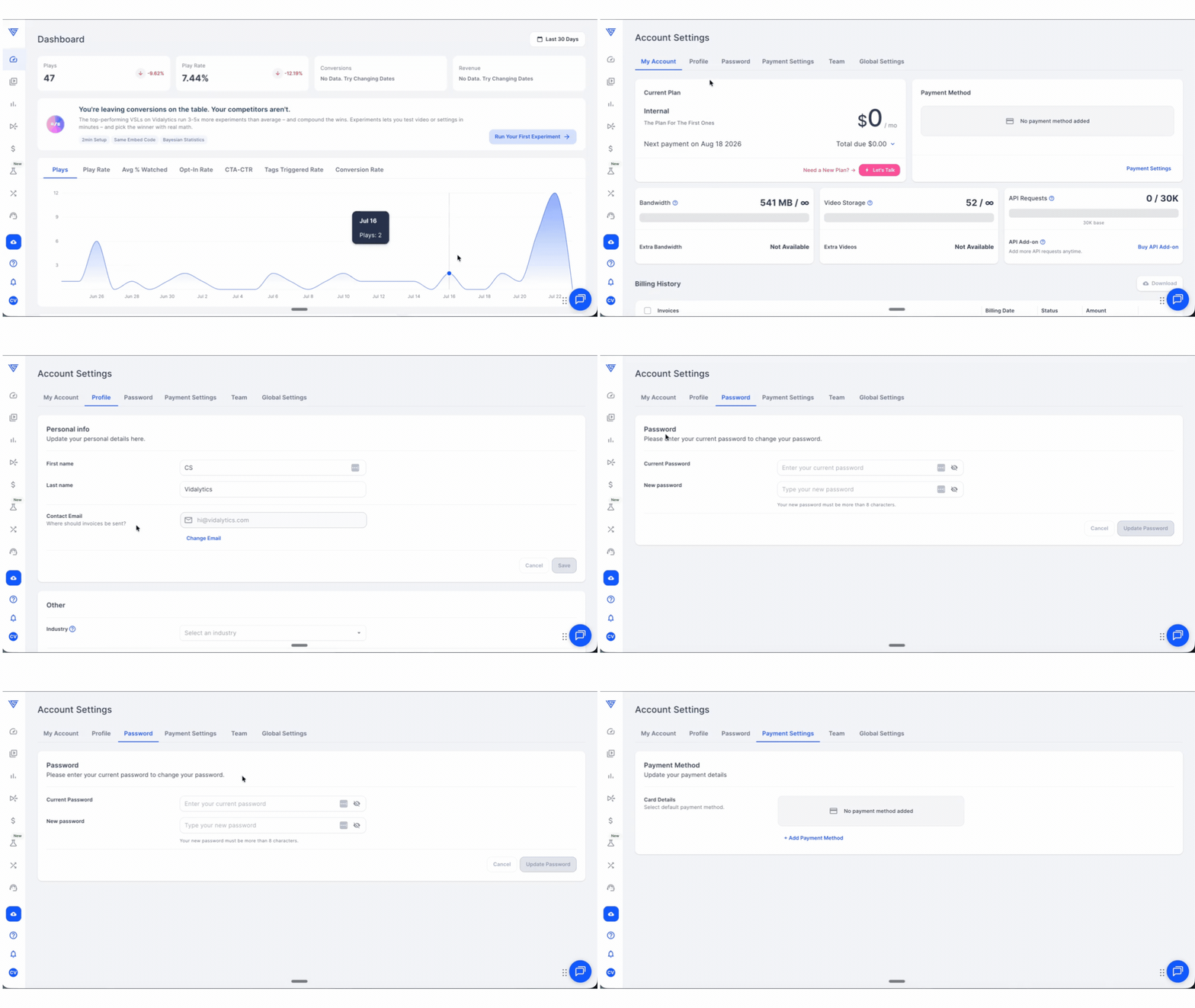
Profile Tab — Update Your Personal Details

Click the Profile tab to update your personal information. From here you can edit:
- First Name
- Last Name
- Email Address
- Industry
Once you have made your changes, click Save to apply them.
Password Tab — Update Your Password
Click the Password tab to update your account password. Enter your new password, confirm it, and click Save to apply the change.
Tip: Make sure to use a strong, unique password and store it somewhere safe after updating it.
Payment Settings Tab — Update Your Payment Details
Click the Payment Settings tab to manage your billing payment method. From here you can view and update your credit card or payment option on file.
For additional questions, feedback or assistance please feel free to reach out directly to our Customer Happiness Team at hi@vidalytics.com. 😊