
Your Agency account settings give you full control over your plan, profile, payment details, and global configurations — all in one place.
How to Access Your Settings
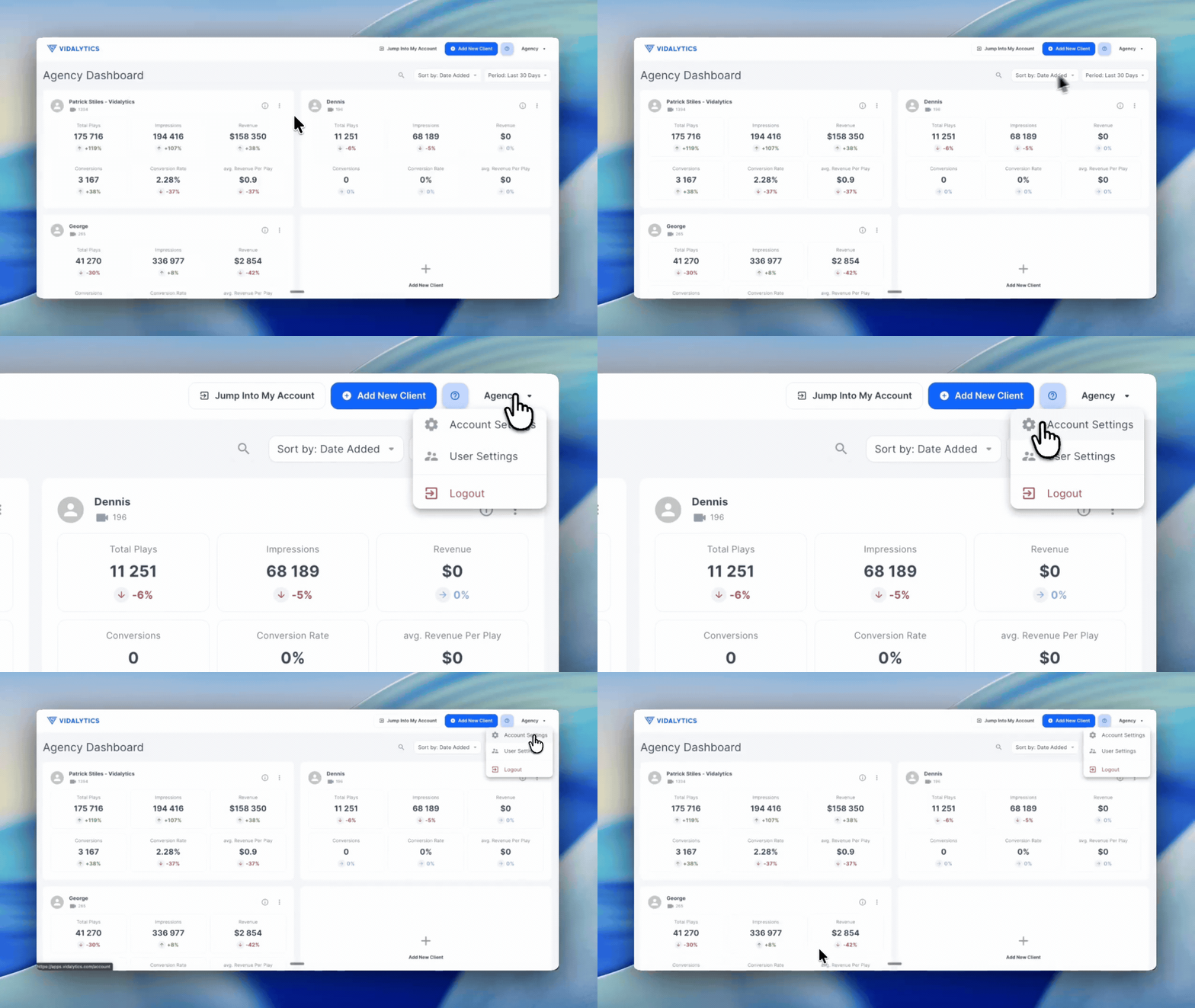
Locate your settings — hover over your name in the top right corner of your Agency dashboard. A dropdown menu will appear.
Open Account Settings — click on Account Settings from the dropdown to access your full settings panel.
What You Can Manage in Settings
My Account: View a summary of your current plan details including your active plan, bandwidth usage (updated through the previous day), total number of videos, payment method on file, and invoices.
Profile: Update the name and email address associated with your Agency account.
Password: Update your account password.
Payment Settings: Add or remove payment methods for your account.
Global Settings: Access account-wide configurations including API settings, Domain Whitelisting, IP Filtering, Global Play Gate, and Global Script.
Note: The Users feature is not currently available for Agency accounts.
If you have any questions, feedback, or need assistance, feel free to reach out to our Customer Happiness Team at hi@vidalytics.com.