
Dynamic URL Query Parameters let you pass tracking values — like campaign_id or clickid — from the page hosting your video to your CTA destination. This keeps campaign attribution intact without manually updating your CTA links.
Availability:
-
Available for regular CTAs only. Not available for Custom HTML CTAs, expire overlays, or end-of-video redirects.
-
Up to 10 parameter names per CTA. For iframe embeds, the player may not be able to read parameters from the parent page URL.
How It Works
You define which parameter names a CTA is allowed to forward. When a viewer clicks, Vidalytics checks the page URL and appends any matching values to the destination link. Your CTA stays a clean base URL — values are added at click time.
UTM parameters (utm_*) are forwarded automatically and do not need to be added to the list.
How to Set It Up
- Open your video's Vid Settings
- Create or edit a regular CTA
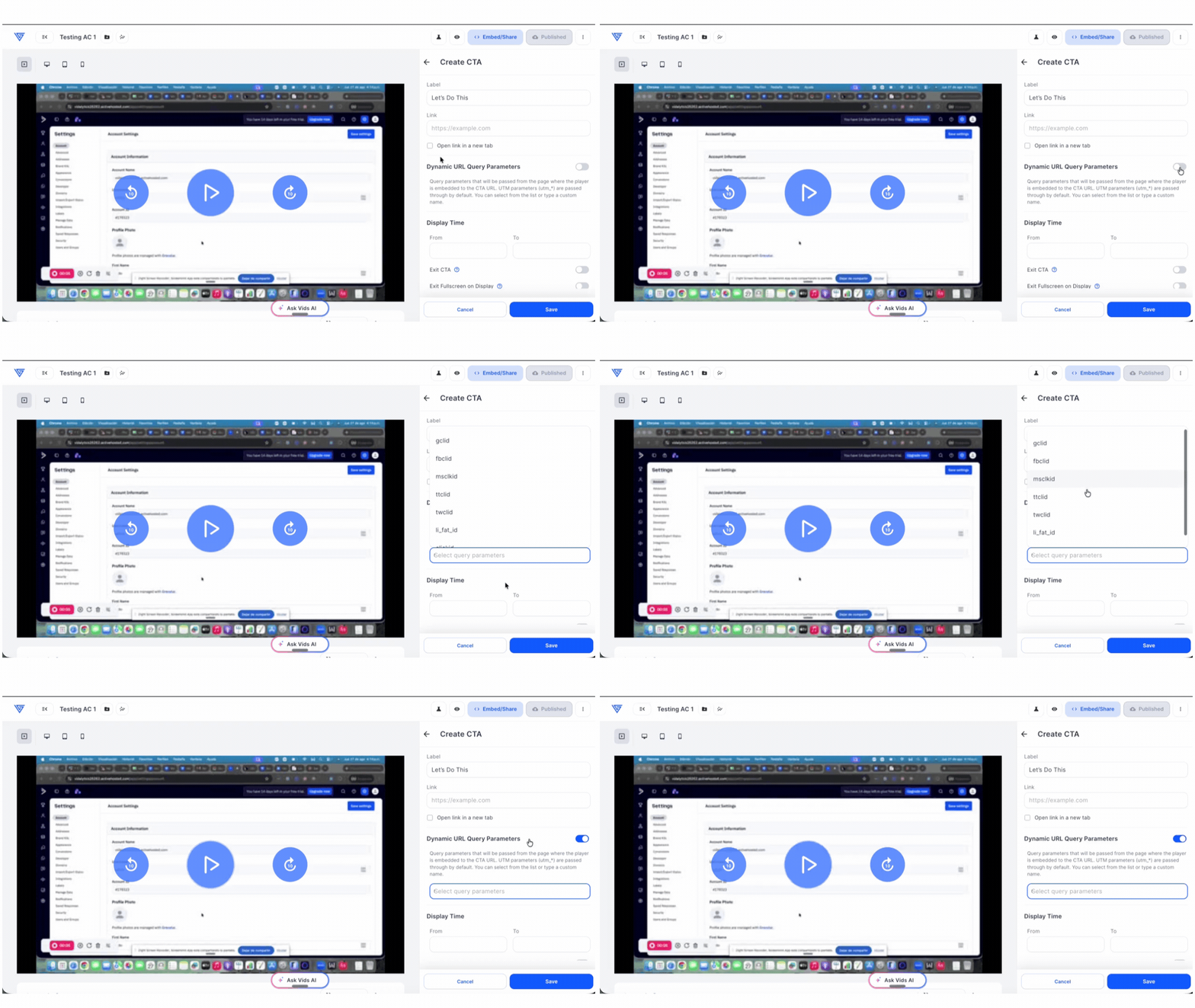
- Find Dynamic URL Query Parameters
- Add the parameter names you want to pass (e.g.
campaign_id,clickid) - Save the CTA
Example
CTA destination: https://example.com/offer
Parameter added: campaign_id
Video page URL: https://yourwebsite.com/video?utm_source=fb&campaign_id=123
Viewer clicks the CTA and lands on: https://example.com/offer?utm_source=fb&campaign_id=123
Rules
- Up to 10 parameter names per CTA
- Names can contain letters, numbers, periods, underscores, and hyphens — between 1 and 64 characters
- Parameter names are case-sensitive; duplicates are not accepted
- A parameter is only forwarded if it is on the allowlist AND present in the page URL
- If the destination already has a parameter with the same name, its value will not be overwritten
- An empty list means only
utm_*parameters are forwarded, same as before
If you have any questions, reach out to our Customer Happiness Team at hi@vidalytics.com. 😊