This guide shows you how to connect your Shopify shop to Vidalytics so you can generate Shoppable Vids and pull your product catalog into videos.
Restrictions: Our marketing integrations are available starting on the Pro plan and above. Facebook and Google Manager Integrations are included starting on the Starter Plan.
Step 1: Open the Shopify Integration in Vidalytics
-
In Vidalytics, go to Integrations.
-
Find Shopify and click on it.
-
A new page with the Shopify integration setup will open.

Step 2: Enter Your Shopify Store Details
2.1 Copy Your Shopify Domain
-
Go to Shopify Admin → Settings → Domains.
-
Copy your .myshopify.com domain — this one is required for the integration.
Note: If your store also has a custom domain (like yourbrand.com), it will appear too. However, you must use your myshopify.com domain to connect to Vidalytics. Vidalytics will automatically use your custom domain (if available) when displaying products. Otherwise, it will use the original Shopify domain.

2.2 Get Your Shopify API Key (Storefront Token)
To connect properly, you also need your Shopify API key.
-
In your Shopify store, find and install the Headless app.
-
After installation, create a Storefront.
-
Open the newly created Storefront and go to Settings → Storefront API.
-
Find the field Private Access Token.
-
Copy this token — you’ll need it for the next step.

2.3 Enter Your Domain and Token in Vidalytics
-
In Vidalytics, paste your Shopify domain and Private Access Token into the Shopify integration form.
-
Click Enable Integration.
Vidalytics will then connect to your Shopify store.

Step 3: Confirm the Connection & Add Products
-
Once connected, you’ll see: "Your Shopify store is now connected to Vidalytics. You can start embedding videos and exploring the power of shoppable videos for your business."
-
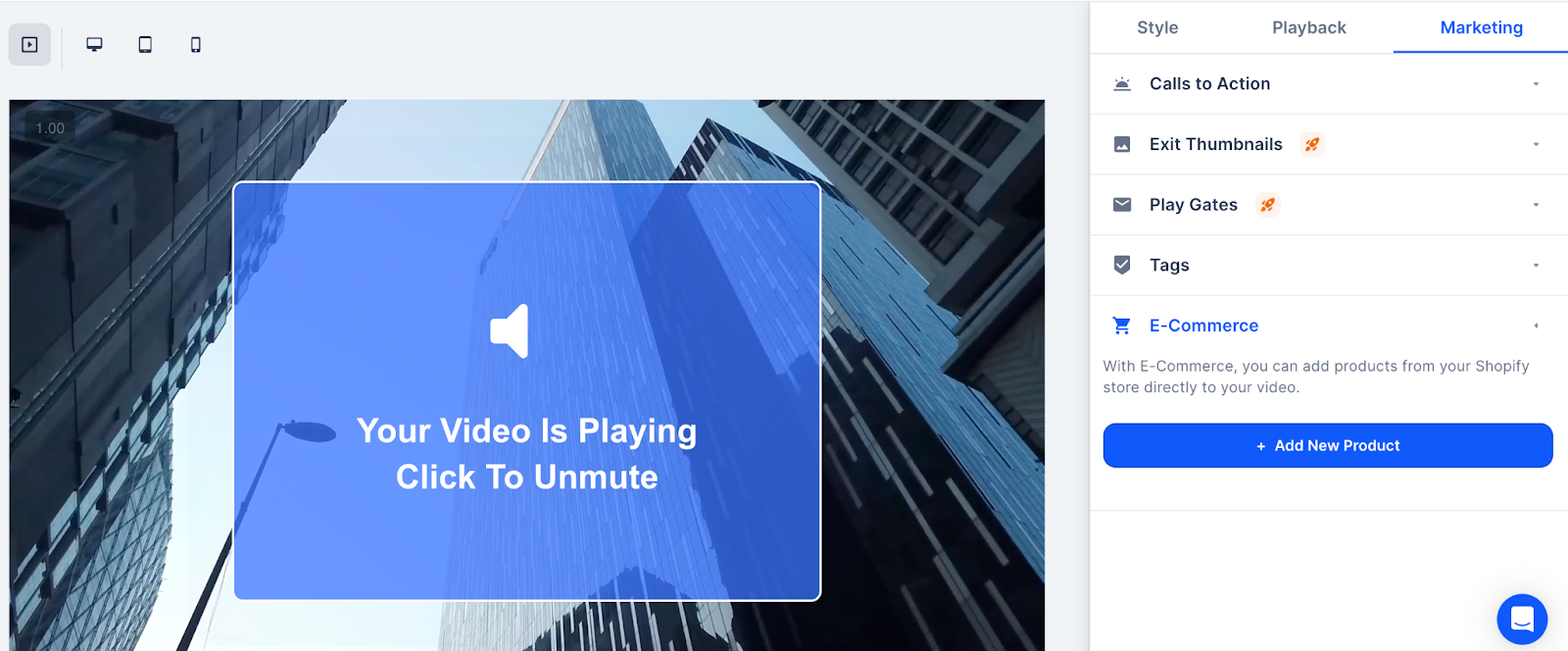
Go to your video’s Vid Settings → E-Commerce (Marketing tab) → Add Product.
-
Start adding products from your Shopify catalog into your video.
For additional questions, feedback or assistance please feel free to reach out directly to our Customer Happiness Team at hi@vidalytics.com. 😊